
Active Mobile County Warrants
Judges issue warrants, while law-enforcement officers execute them. The Mobile County Sheriff's Office under Sheriff Paul Burch provides an official warrant-search access point, an app with an outstanding-warrant check, and a dedicated Warrants Unit. Circuit Clerk Ashleigh Long maintains warrant-related court records for Mobile County District and Circuit Courts. A state criminal warrant can therefore appear across sheriff and court systems, and the safest result comes from checking both.
City of Mobile Municipal Court can issue bench warrants or create bond and appearance issues in city cases. Its dockets include bond hearings and a special delinquency docket. Municipal matters are not simply folded into the state Circuit Clerk system. Federal warrants are separate again and involve federal courts or agencies. No official source in the project research states a fixed update schedule for the Mobile County public warrant data, so a website result should never be treated as real-time clearance.
The Mobile County Sheriff's phone directory publishes the direct warrant contact.
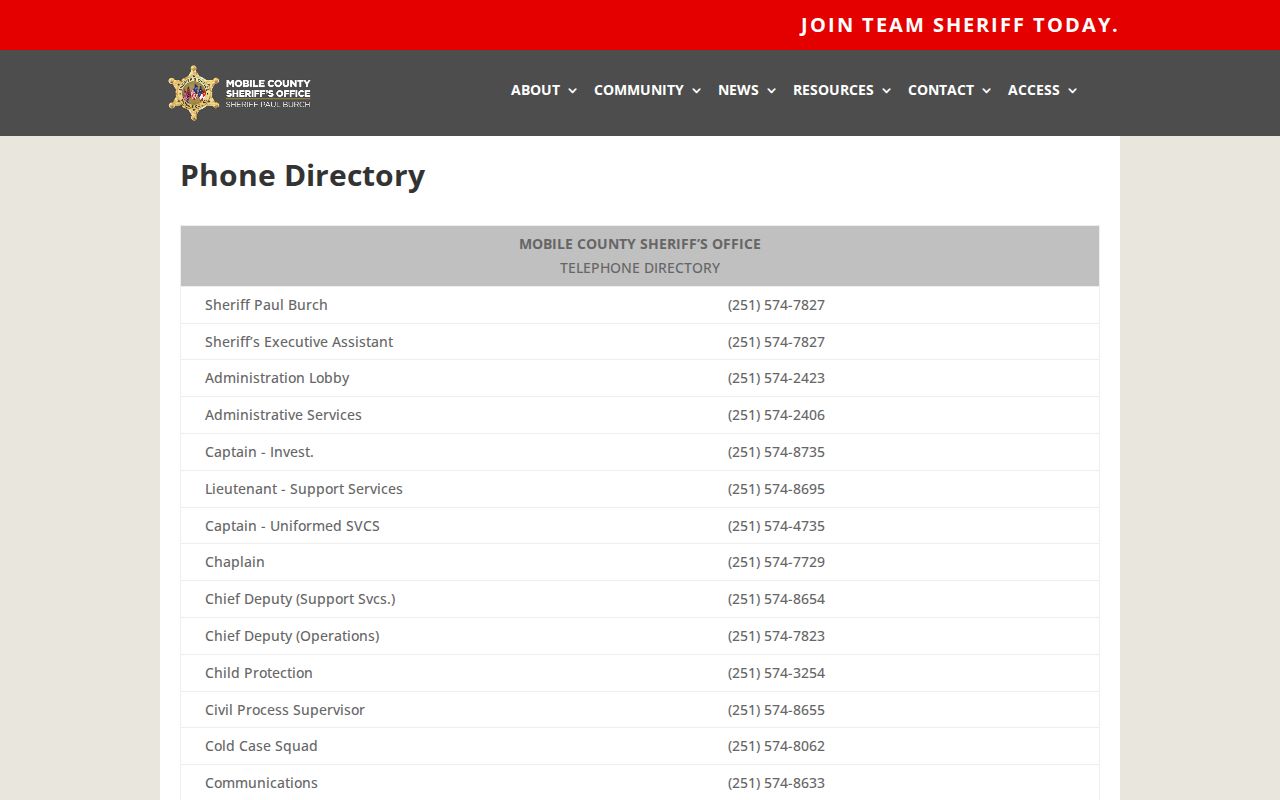
That direct line is the key verification step when an app, portal, or court search leaves doubt.
Mobile County Warrant Types
The type of warrant affects where to verify it and whether information is public. An arrest warrant is tied to an alleged offense. A bench warrant comes from a judge, often after a missed appearance or failure to comply. A search warrant authorizes a search and may be unavailable before execution or sealed during an investigation. A fugitive or out-of-county warrant can involve another jurisdiction and an extradition hold.
- Arrest warrant: directs law enforcement to arrest a person accused of an offense.
- Bench warrant: is issued by a judge, commonly after failure to appear, failure to comply, or contempt.
- Search warrant: authorizes a search and often remains nonpublic before execution.
- Capias or capias pro fine: can appear when a defendant fails to appear or fails to pay as ordered.
- Fugitive warrant: can involve a hold for another county, state, or federal jurisdiction.
Bond is not a warrant type. It is money or security used to support release and a later appearance. In City of Mobile cases, the first appearance informs the arrested person of the charge and lets the municipal judge decide bond eligibility and amount. The warrant, booking, bond order, and later criminal file are distinct records.
Search Mobile County Warrants
Start at the official MCSO warrant search page. The accessible capture confirmed the page but did not expose public web form fields. The Sheriff's app page expressly advertises an outstanding-warrant check, making the app a supported and likely preferred lookup. Then call the Warrants Unit at (251) 574-8657. The unit's fax is (251) 574-4775. This confirmation chain matters because no official sample listing or update interval was available.
- Check the official sheriff warrant page and the MCSO App outstanding-warrant feature.
- Call the Warrants Unit at (251) 574-8657 and ask how identity and warrant status should be verified.
- Check the issuing court. Call District Criminal at (251) 574-8511 or Circuit Criminal at (251) 574-8430 for state cases.
- For a city matter, call Mobile Municipal Court at 251-208-7055 and use its separate case and docket search.
- Ask whether bond is set, court appearance is required, payment can resolve the issue, or counsel should seek recall or quashing.
Do not rely on a jail list alone. The Sheriff's Who's in Jail page can confirm current custody and visible charges or bonds, but a person may have an active warrant without being booked. Conversely, a jail entry may concern a case already before a judge. The Mobile County criminal case file is the better source for filed charges, pleas, disposition, and sentence.
Note: Keep receipts and court orders because clearance can lag between the issuing court, sheriff, and payment system.
Mobile County Warrant Search Channels
The official capture did not confirm name, birth-date, or warrant-number fields on the public web page. Claiming those inputs would be inaccurate. The verified channel table below preserves what each official Mobile County source actually offers and marks unknown details plainly.
| Field Label | Type | Required | Notes |
|---|---|---|---|
| Sheriff web warrant search | Web access point | Unknown | Official page exists; fields were not exposed in the accessible capture. |
| MCSO App check | Mobile app feature | Unknown | Official app page advertises checking outstanding warrants. |
| Warrants Unit | Phone | Not applicable | Call (251) 574-8657 for direct verification. |
| State court docket | Date and optional last name | Varies | Use Alacourt docket, Just One Look, or the correct criminal division. |
| Municipal case search | Separate city portal | Varies | Use City of Mobile Municipal Court for city cases. |
The official MCSO App page lists warrant and jail tools.
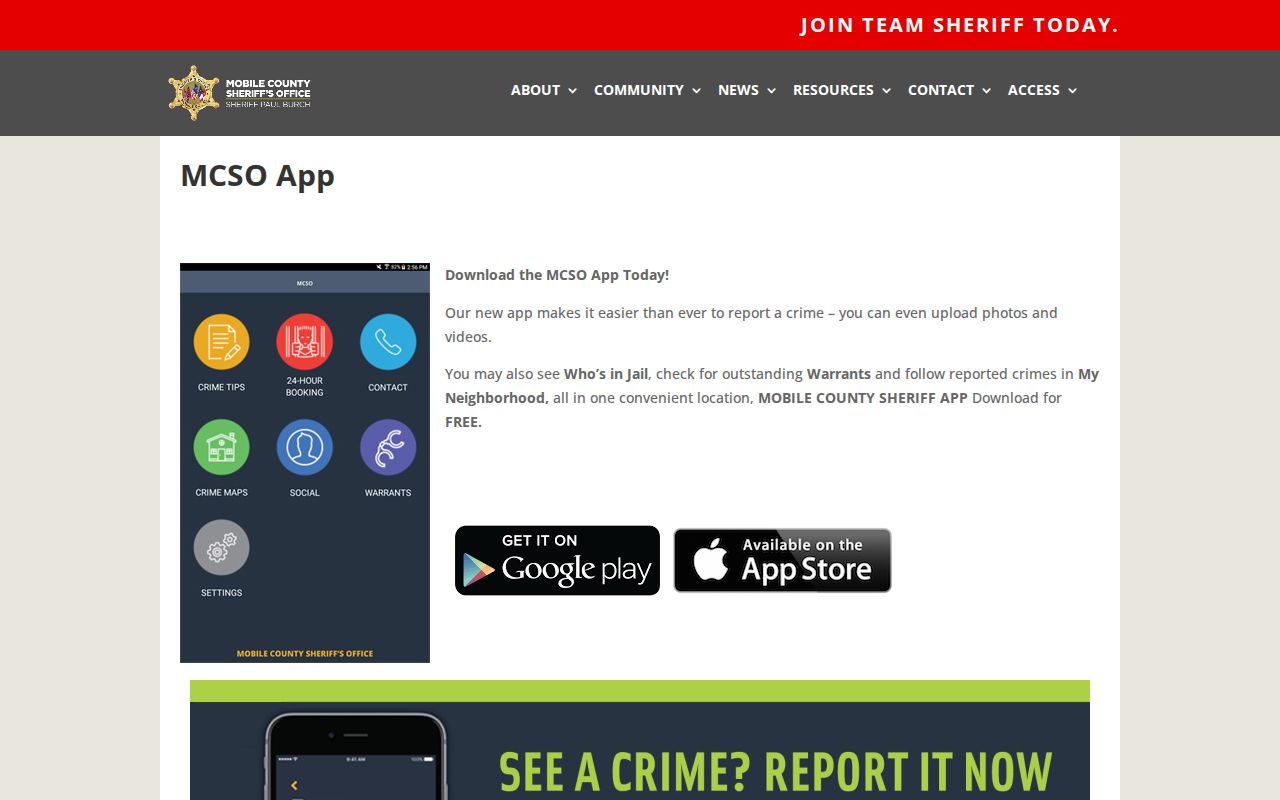
Its feature list confirms that outstanding-warrant checking is available through the Mobile County Sheriff App.
What Mobile County Warrant Results Show
No official sample Mobile County warrant listing was accessible in the research capture. That gap means a public result should not be promised to show a warrant number, issuing judge, issue date, charge, bond, address, or court. Availability may differ between the app, web access point, phone verification, and the related court docket.
| Field | What It Shows |
|---|---|
| Identity match | Not confirmed in the captured public interface; verify directly to avoid confusing people with similar names. |
| Warrant number | Not confirmed as a public result field. |
| Issue date | Not confirmed as a public result field. |
| Charge or reason | Not confirmed in a sample warrant result; a related court file may provide filed charge information. |
| Bond | Not confirmed as a warrant-result field; ask the Warrants Unit or issuing court. |
| Issuing court | Not confirmed in a sample; determine whether the matter is Circuit, District, Municipal, or outside the county. |
A restricted sheriff jail portal exists, but its login states that access is for authorized law-enforcement and criminal-justice users. The public should not expect that portal to supply a full warrant profile. Use the public app, Warrants Unit, and court channels instead.
The MCSO jail portal login illustrates that restricted boundary.
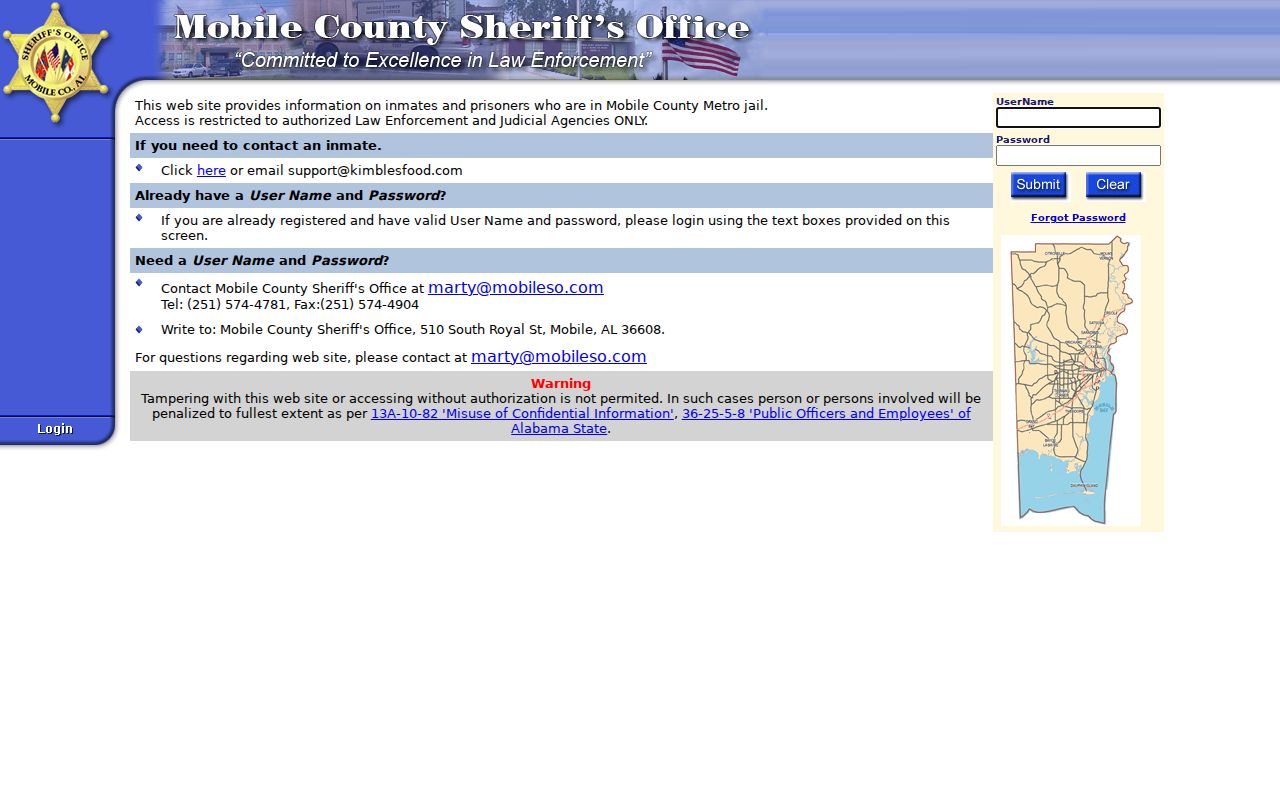
The login restriction explains why direct public verification may require a call rather than a detailed online record.
Resolve a Mobile County Warrant
First, verify the warrant and issuing court. For state criminal matters, contact District Criminal or Circuit Criminal based on case type. For City of Mobile matters, contact Municipal Court. Ask whether bond is already set, whether the judge requires an appearance, whether payment alone can resolve the problem, and whether a lawyer may file a motion to recall or quash the warrant. Do not assume an online payment automatically clears it.
If surrender may be required, confirm the location and booking process with the Sheriff's Office or court before traveling. The Metro Jail automated information line is 251-574-6412. Government Plaza is at 205 Government Street, Mobile, Alabama 36644. Its state criminal divisions have payment windows that close at 4:30 p.m., and cell phones are not allowed inside the courthouse. Write down names, numbers, and case information.
Important: A lawyer can explain surrender, bond, recall, and quashing options before a person acts on an outstanding warrant.
The Mobile County Public Defender at 151 Government Street represents eligible indigent defendants when appointed, but its website does not create an attorney-client relationship. Municipal judges appoint lawyers for eligible indigent defendants in municipal criminal proceedings. Keep any receipt, recall order, or clearance document and verify that connected systems have updated.
Request Mobile County Warrant Records
When the app, web page, and phone check do not answer a records question, use the Sheriff's Central Records path. The MCSO Civil Division and Central Records page directs requesters to complete the MCSO Open Records Act Request Form and follow its instructions. The Sheriff's Office is at 510 South Royal Street, Mobile, AL 36603, and its main phone is (251) 574-2423.
The official Central Records view provides the documented records-request fallback for Mobile County warrant information.
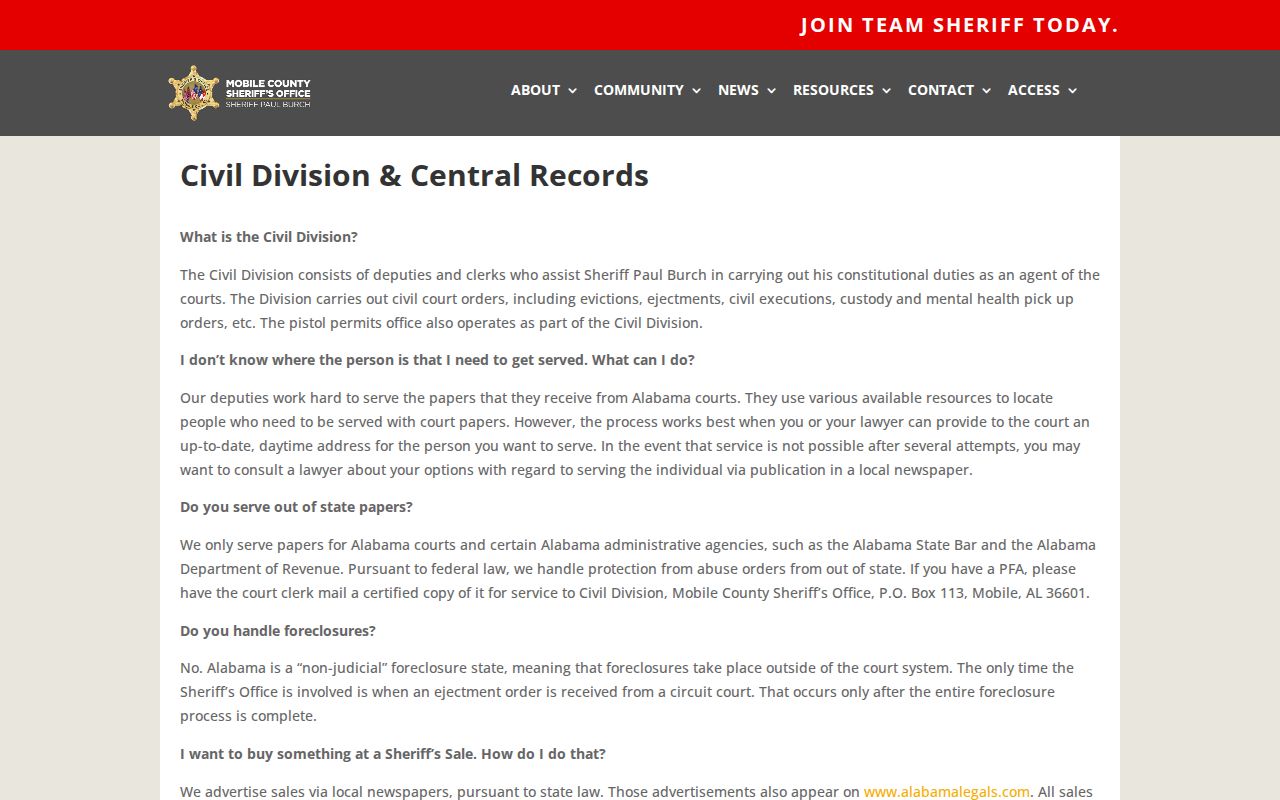
It should be used for sheriff-held material, while a certified court record must come from Ashleigh Long's Circuit Clerk or the City Municipal Court.
Alabama Code section 36-12-40 supports inspection and copying of public records unless an exception applies. Current open-records provisions also address procedures, request forms, fees, and agency duties. Public access does not override a seal, an active-investigation restriction, juvenile confidentiality, or protected personal information.
Restricted Mobile County Warrant Records
Search warrants may be unavailable before execution and can remain sealed while an investigation is active. Juvenile warrant information is not handled like an ordinary adult public record. A judge may seal documents under the Alabama Rules of Court-Record Privacy and Confidentiality. Expunged matters also leave ordinary public access according to Alabama law and the court's order. Protected identifiers should remain redacted.
Federal warrants do not belong in the county app or Alabama state docket. Out-of-county and fugitive warrants may require confirmation with the originating agency. A no-result screen is never a guarantee that no warrant exists. Names can also be mistaken, and the public interface did not reveal enough fields to establish a safe identity match without direct confirmation.
Sheriff Paul Burch's Warrants Unit, Ashleigh Long's Circuit Clerk divisions, and Mobile Municipal Court form the local fallback chain. Call the court that may have issued the warrant, especially after payment or a judge's order. For city cases, the official Municipal Court record search and request page is the proper separate source.
Note: Online Mobile County warrant information can be incomplete, restricted, or delayed, so direct verification is essential before taking action.